

CBoard and Grid3’s AAC apps have some key differences. CBoard is free and easy to get started, making it a great choice for affordable early communication. Grid3, on the other hand, offers robust behavior supports and family sharing features. In the table below, we’ll compare features like pricing, vocabulary, and ease of use to help you decide which AAC app is best for your needs.


Cboard |
Grid3 |
|
|---|---|---|
| Good for Early Communication |

Requires a log-in to access, which means younger kids must rely on caregivers to access their voice.
|
Can help early learners but includes an overwhelming set-up process
|
| Affordable Pricing |

Free. But CBoard depends on charitable donations, which means the future of CBoard may not be certain.
|
The app-only is £9.99 per month or £349.99 one-time-payment. But dedicated devices are hundreds of dollars and funding is complicated.
|
| Easy to Get Started |
Set-up is simple (under 15 minutes). However, there is little support for customizing and learning more about its functionality. CBoard has an extensive FAQ page on their website but offers little more than that.
|
There are different "Grid sets" to choose from, so setup and process is different for each.
|
| Easy Parent Modeling |
There is no apparent way to search for a word while web-based app is active.
|
"Find word" functionality has to be added to the grid set to help guide a path to a word
|
| Incentives to practice |
There is no attached reward system that encourages new users to learn a new way to communicate.
|
The limited games offered may help children be excited to interact with the talker
|
| Natural voices and language availability |
CBoard offers natural voices in 33 languages.
|
Available in 15 languages.
|
| Customer Support |

Offline support is only available on android or desktop via google chrome.
|
Available by phone, website chat, and email, but limited onboarding support
|
| Motor Planning |
Users can drag pictograms/symbols or folders to wherever they want by "unlocking" them. This can make it difficult for AAC users to learn where words are if they keep getting moved around.
|
Each grid is based on the same layout, which helps with motor planning
|
| Simplicity of screen |
Words and images are big and easy to find. CBoard also has scrolling. However, the movement of words when adding vocabulary can get confusing!
|
Depends on the grid chosen. Some are more complicated than others! Deciding which is best can be a bit overwhelming.
|
| Affordable dedicated device option |
Cboard does not offer a device. It is web-based only, meaning protection of hardware is the sole responsiblity of parents or caregivers.
|
Funding a dedicated device includes a 4 step process with lots of paperwork and forms. The device costs are not clear up front.
|
| Communication with spelling |
No- CBoard functions with symbol-based words and does not have a separate keyboard to type out words letter-by-letter.
|
Grid3 does have a keyboard functionality that can be added to a grid
|
| Reminders to Practice |
There is no reminder feature or visual schedule included in CBoard.
|
No reminders to practice Grid3 are included in-app.
|
| Image and Symbol Quality |
CBoard is open source, meaning there were many different contributors to its content. User can upload any images they would like, as well as record their own audio for symbols.
|
Grid3 uses a variety of symbols: Widgit, PCS, Symbol Stix and Snap Photos
|
| Fun Games to Build Skills |
CBoard does not provide strategies to improve finger dexterity.
|
Grid3 does offer interactive learning through 25 animated activities.
|
| Care team access |

CBoard has community board sharing and is always accessible from the web.
|
Remote editing can only be done from a Windows computer.
|
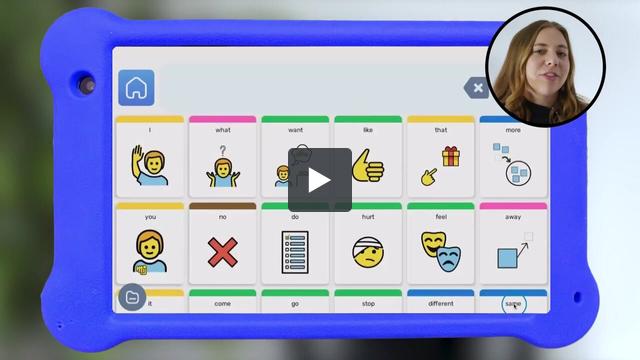
See how Goally is changing kids' lives with a powerful AAC app that is actually affordable.

We know kids can be tough on devices. If your Goally gets damaged within 90 days, we'll replace it at no cost to you.