
Searching for the tablet for 3-year-old kids, especially those who are neurodivergent, can be a daunting task. Don’t worry; we’re here to help! In this guide, we’ll walk you through the essential factors to consider, compare top tablet options, and share expert tips to make the most of your child’s new device. Our goal is to help you find the perfect tablet to support your child’s learning and development journey.
Table of Contents
SPONSORED BY: Goally
Goally’s Kid’s Tablet has one of the largest libraries of skill-building videos (like “How to Share” and “What To Do When You’re Lost”) in the Goal Mine app.👇

Key Factors to Consider When Choosing the Best Tablet for 3-Year Old
Before diving into specific tablet options, it’s crucial to understand the essential factors that make a tablet suitable for your 3-year-old:
- Durability: Kids can be rough with their belongings. Look for a tablet with a sturdy build, protective case, and shatter-resistant screen.
- Parental Controls: For a safe and controlled digital environment, choose a tablet with robust parental controls, allowing you to limit screen time, restrict content, and monitor usage.
- Educational Content: Opt for a tablet that offers a variety of pre-installed educational apps and games tailored to your child’s needs and interests.
- Ease of Use: A user-friendly interface is crucial for young children. Look for a tablet with simple navigation and large, easy-to-tap icons.
- Battery Life: To avoid frequent charging, choose a tablet with a long-lasting battery.

Read more: Distraction-Free Device for Neurodivergent Kids
With these factors in mind, you’ll be ready to find the best tablet for your 3-year-old.
Top 3 Tablets for 3-Year-Olds: A Comparison
Now that you know what to look for, let’s compare the top three tablets for 3-year-olds:
| Tablet | Durability | Parental Controls | Educational Content | Ease of Use | Battery Life |
|---|---|---|---|---|---|
| Amazon Fire HD 8 Kids Edition | Kid-proof case and 2-year worry-free guarantee | Amazon’s FreeTime Unlimited offers extensive controls | 1-year subscription to FreeTime Unlimited, with over 20,000 age-appropriate apps, games, and videos | Child-friendly interface with easy navigation | Up to 12 hours |
| Apple iPad Mini | Sturdy build, but a protective case is recommended | iOS Screen Time and content restrictions | Access to thousands of educational apps on the App Store | Intuitive interface and responsive touchscreen | Up to 10 hours |
| LeapFrog LeapPad Ultimate | Kid-tough design with shatter-safe screen and wrap-around bumper | LeapFrog’s Learning Path offers parental controls and progress tracking | Preloaded with LeapFrog Academy, offering over 1,000 learning activities | Designed specifically for young children | Up to 8 hours |
Each of these tablets has its strengths and weaknesses, so consider your child’s specific needs and preferences when making your decision.
Expert Tips for Maximizing Your Child’s Tablet Experience
Once you’ve chosen tablet for your 3-year-old, it’s essential to ensure a positive and enriching experience.
Here are some tips to help you along the way:
- Set Boundaries: Establish clear rules for screen time and tablet usage, including designated times and locations for use.
- Engage with Your Child: Actively participate in your child’s digital experience by playing games, watching videos, and exploring apps together.
- Customize Content: Tailor the tablet’s content to your child’s interests and needs, focusing on educational apps that support their learning and development.
- Monitor Progress: Regularly review your child’s progress and adjust the tablet’s content accordingly, ensuring it remains relevant and engaging.
- Encourage Balance: Encourage a healthy balance between screen time and other activities, such as outdoor play, social interaction, and creative pursuits.

By following these tips, you can create a supportive and engaging digital environment for your child, making the most of their new tablet.
How Goally Can Enhance Your Child’s Tablet Experience
Goally offers a range of learning apps specifically designed for neurodivergent kids, making it an excellent addition to your child’s tablet experience. With Goally, you can:
- Personalize Learning: Customize your child’s learning experience with apps tailored to their unique needs and interests.
- Track Progress: Monitor your child’s progress and achievements, helping you make informed decisions about their learning journey.
- Stay Engaged: Goally’s interactive and engaging apps keep your child motivated and excited about learning.
By incorporating Goally into your child’s tablet experience, you can further support their learning and development, making a tablet for 3-year-old kids even better.
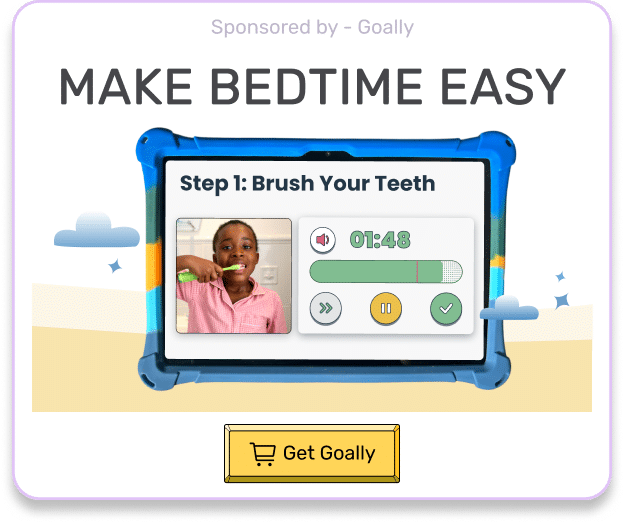
Goally | For Kids Who Hate Bedtime 😴😡
Final Thoughts
Finding a tablet for your 3-year-old neurodivergent child can significantly enhance their learning and development. By considering essential factors, comparing top options, following expert tips, and incorporating Goally’s learning apps, you can provide a tailored and engaging digital experience for your child. Happy tablet hunting!
This post was originally published on 05/29/2023. It was updated on 09/29/2023.

Goally
We help parents teach their kids life skills, like doing bedtime and morning independently. Backed by science, we incorporate evidence-based practices and expert-informed designs in all of our apps and content.